As of today's Maintenance ending (March 30th 2026), Konami have introduced a new, permanent game mode to Duel Links - Character Deck Duels! In this mode, Duelists can battle using decks exclusive to each character.
They start off as pre-built decks, but can evolve to be modified (within the set Forbidden & Limited List and restrictions for this mode) down the line.
What are Character Decks?
Character Decks are pre-built decks made up of cards associated with each character, along with an exclusive Skill.
You receive them as Lifetime Mission rewards (all of the launch missions are just for having the character unlocked).
Character Deck cards can be used in non-Character Deck duels, however the Skills can't. Meaning unlocking all the decks below adds copies of these cards to your collection for free.
If you convert the cards you received for Free, you then won't be able to use a Character Deck if you own fewer copies of a card than the deck requires (e.g converted at the Trader)
WARNING: The base/Grade 0 Decks use normal/non-glossy versions of the cards. If you dismantle these cards you will be locked out of that characters decks until you re-acquire those base versions. It's best to wait until Grade 1 before dismantling.
If you did dismantle cards, then there is a workaround: In the Deck Menu (Top Right) of the Character Deck screen, if you change your foil rarity order, ensure Basic is at the bottom and check the "Replace Cards" box it should let you play any decks you may have accidentally been locked out of.
More Characters will be added over time!
Respect Orbs
After a Character Deck Duel ends, you obtain 1 Respect Orb for each 1000 Duel Assessment Points
This mode also goes towards cumulative Ranked Duel wins like Speed and Rush.
You can only obtain 30 Respect Orbs per day.
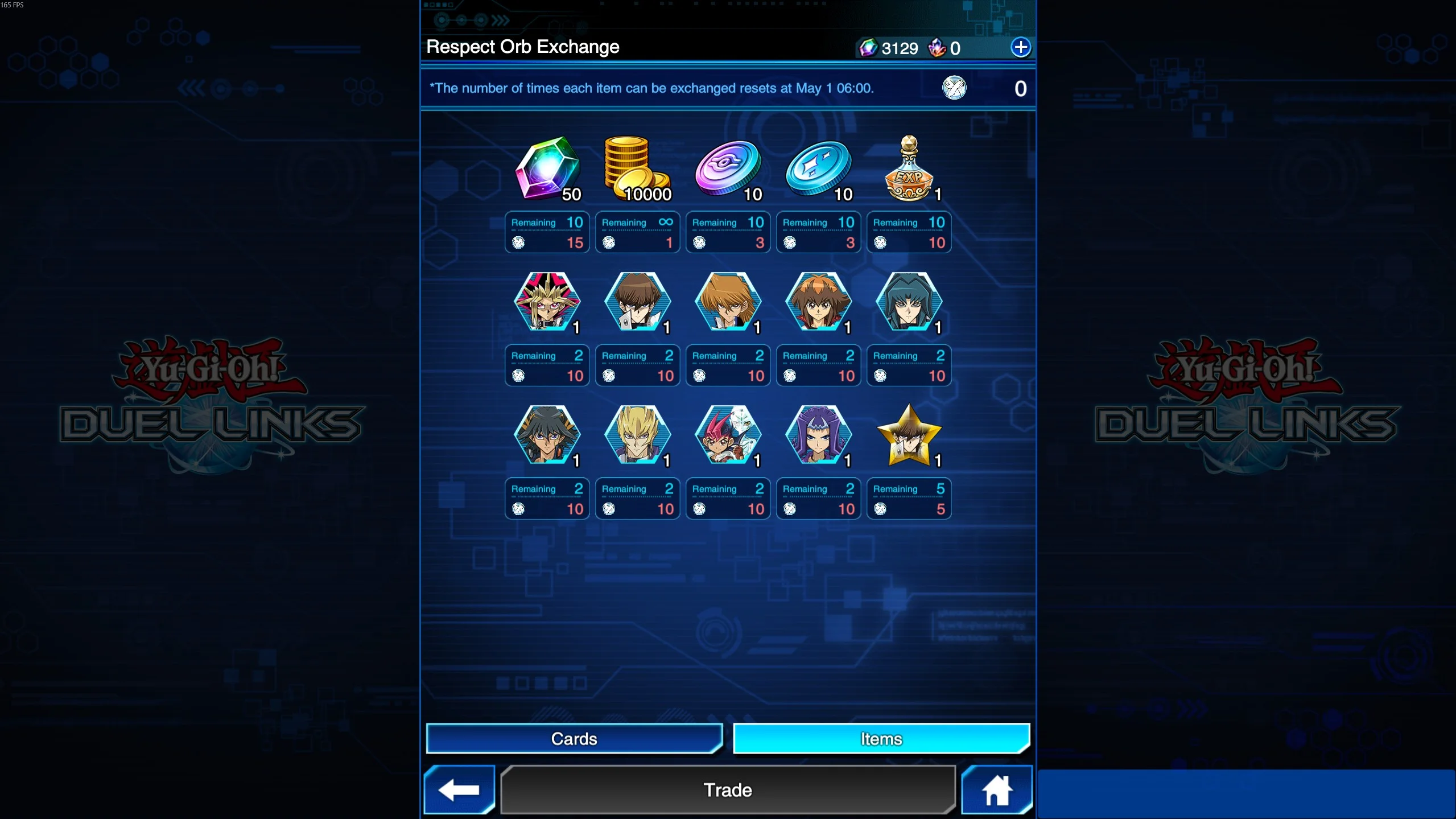
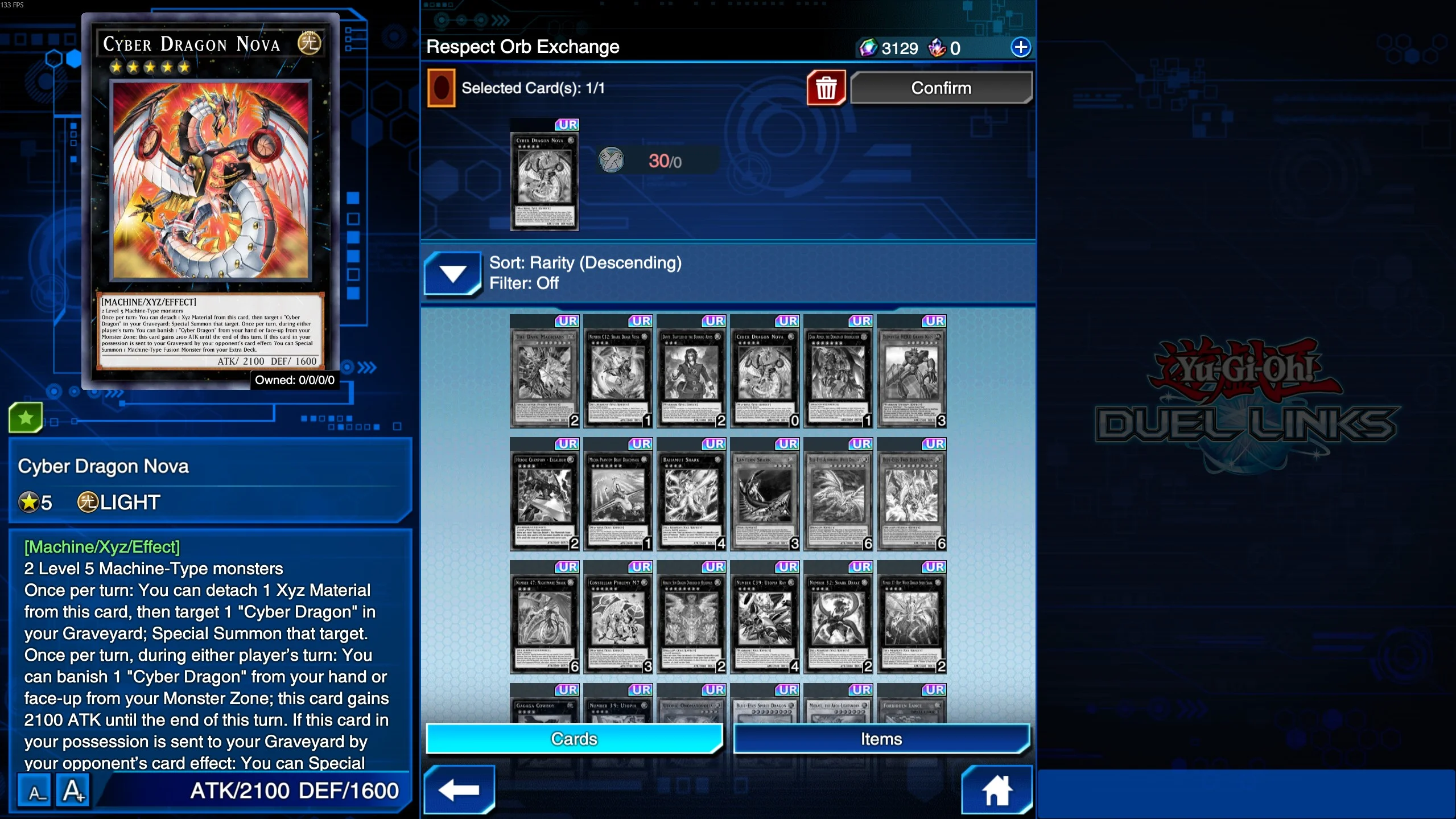
Respect Orbs can be exchanged at the Trader for Cards, Gems, Character Stamps and the new EXP Potion item - which lets you raise a Characters Level by 1. This resets on the 1st of every month.
Cards cost 30 Respect Orbs each.
How Do I Level Up Decks?
Obtaining the "Grade Star" Item, which can be exchanged from Respect Orbs, increases a characters Grade by 1.
This allow you to add or replace cards in that Character Deck, up to the number of the new Grade.
The cards you can add or replace are selected from a predetermined list for each Character.
DM WORLD Decks
Yami Yugi Deck
Skill:Magician's Trigger
1: Once per Duel at the start of your Main Phase, if you have any "Magician Navigation" in your hand, reveal 1 to your opponent to activate this effect. Set that card, then add 1 "Dark Magician" from your Deck to your hand. If your opponent controls a monster, it can be activated this turn.
If the Yu-Gi-Oh! DB website asks to login with Game Card ID just click "I don't have a game card ID" and fill some basic information to proceed
Export Guide
- Via the MDM extension (Recommended): Download on Firefox, or Chromium Browsers For Chromium browsers (Chrome/Edge/Opera/Brave...etc) just click "Add to chrome" on the store page and it'll work on most if not all chromium browsers. After using the extension, go to the Master Duel game => Main menu => Deck option => The Card database option at the top right corner => locate the deck you exported and copy it
Once the deck page loads click Edit then do one of the following based on the platform your device is running:
(PC Only): Press F12 to open the DevTools window => Navigate to the Console tab in the window => Paste the export code => Hit Enter
OR (Other platforms/PC): In the address bar of the current tab remove the URL and type "javascript:" without the quotations then paste the export code, then if you're on mobile look for the *globe* icon and tap on it to run the code (Chrome only), for PC users just hit enter.
The deck will save automatically
Go to the Master Duel game => Main menu => Deck option => The Card database option at the top right corner => locate the deck you exported and copy it
1: At the beginning of your first turn, add 1 "Polymerization" from outside your Deck to your hand. During this Duel, you can only Fusion Summon "Blue-Eyes" Fusion Monsters.
If the Yu-Gi-Oh! DB website asks to login with Game Card ID just click "I don't have a game card ID" and fill some basic information to proceed
Export Guide
- Via the MDM extension (Recommended): Download on Firefox, or Chromium Browsers For Chromium browsers (Chrome/Edge/Opera/Brave...etc) just click "Add to chrome" on the store page and it'll work on most if not all chromium browsers. After using the extension, go to the Master Duel game => Main menu => Deck option => The Card database option at the top right corner => locate the deck you exported and copy it
Once the deck page loads click Edit then do one of the following based on the platform your device is running:
(PC Only): Press F12 to open the DevTools window => Navigate to the Console tab in the window => Paste the export code => Hit Enter
OR (Other platforms/PC): In the address bar of the current tab remove the URL and type "javascript:" without the quotations then paste the export code, then if you're on mobile look for the *globe* icon and tap on it to run the code (Chrome only), for PC users just hit enter.
The deck will save automatically
Go to the Master Duel game => Main menu => Deck option => The Card database option at the top right corner => locate the deck you exported and copy it
1: Once per Duel at the start of your Main Phase, if you have any "Red-Eyes" monsters with 2400 or less ATK in your hand, reveal 1 at random to your opponent to activate this effect. Play that monster in face-down Defense Position (its battle position can be changed). Then, add 1 random "Red-Eyes" Spell/Trap Card from your Deck to your hand.
If the Yu-Gi-Oh! DB website asks to login with Game Card ID just click "I don't have a game card ID" and fill some basic information to proceed
Export Guide
- Via the MDM extension (Recommended): Download on Firefox, or Chromium Browsers For Chromium browsers (Chrome/Edge/Opera/Brave...etc) just click "Add to chrome" on the store page and it'll work on most if not all chromium browsers. After using the extension, go to the Master Duel game => Main menu => Deck option => The Card database option at the top right corner => locate the deck you exported and copy it
Once the deck page loads click Edit then do one of the following based on the platform your device is running:
(PC Only): Press F12 to open the DevTools window => Navigate to the Console tab in the window => Paste the export code => Hit Enter
OR (Other platforms/PC): In the address bar of the current tab remove the URL and type "javascript:" without the quotations then paste the export code, then if you're on mobile look for the *globe* icon and tap on it to run the code (Chrome only), for PC users just hit enter.
The deck will save automatically
Go to the Master Duel game => Main menu => Deck option => The Card database option at the top right corner => locate the deck you exported and copy it